Promotions
Timely specials on premium photo planners, journals, and calendars.
How it works
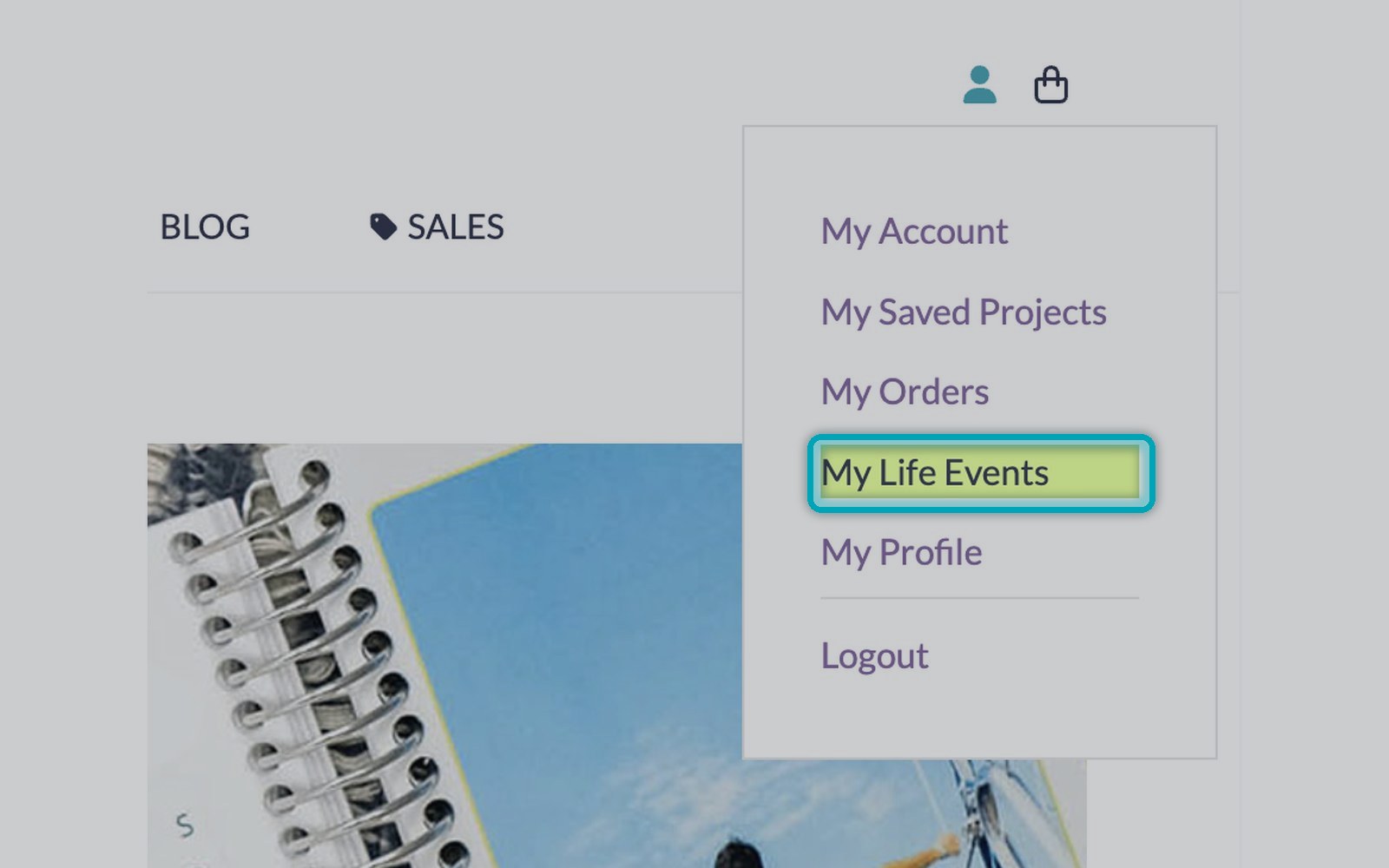
Save birthdays, anniversaries and special dates once. They are printed automatically on your planners and calendars — every year.
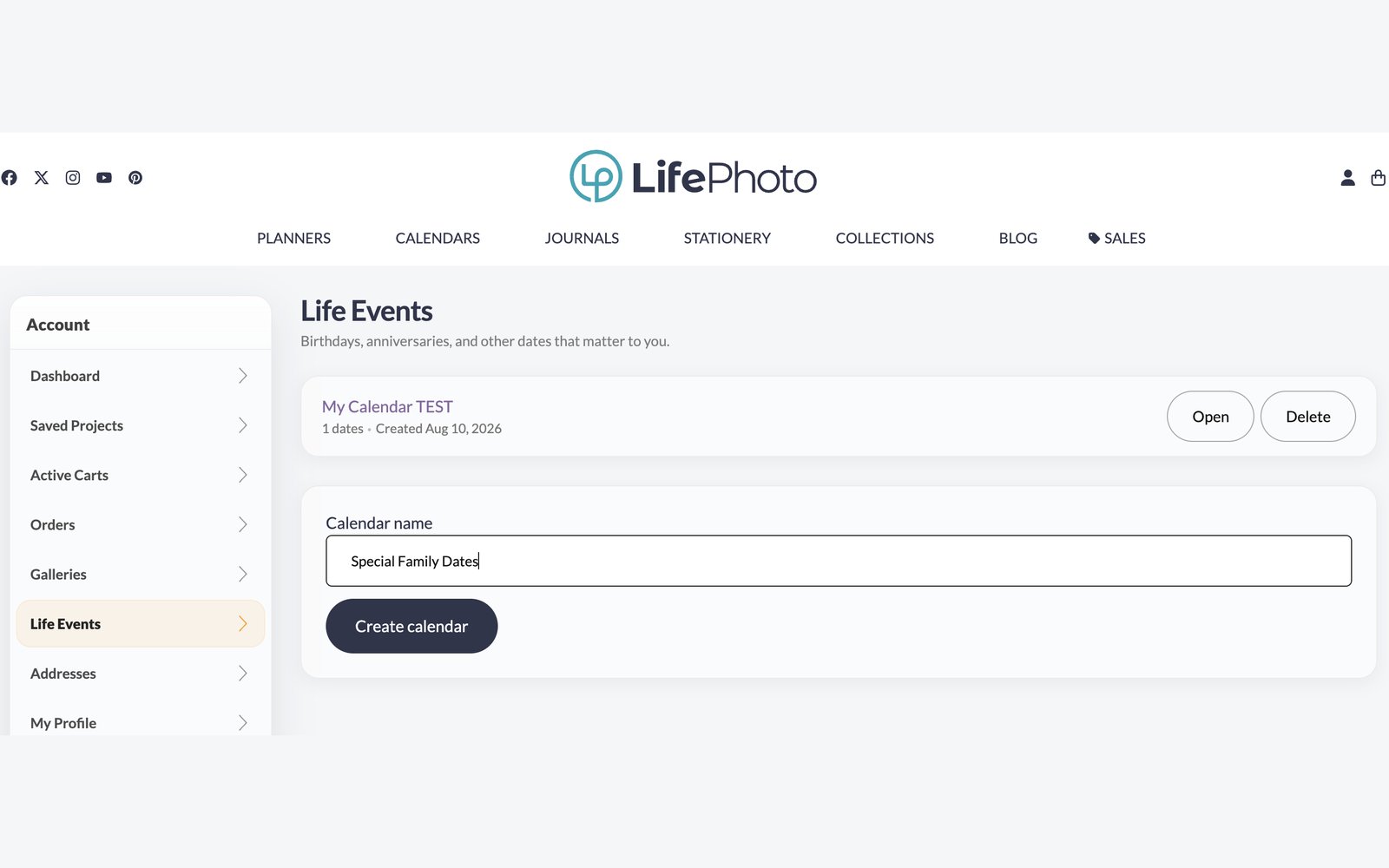
Give your list of dates a name — for example Special Family Dates — and click Create calendar.
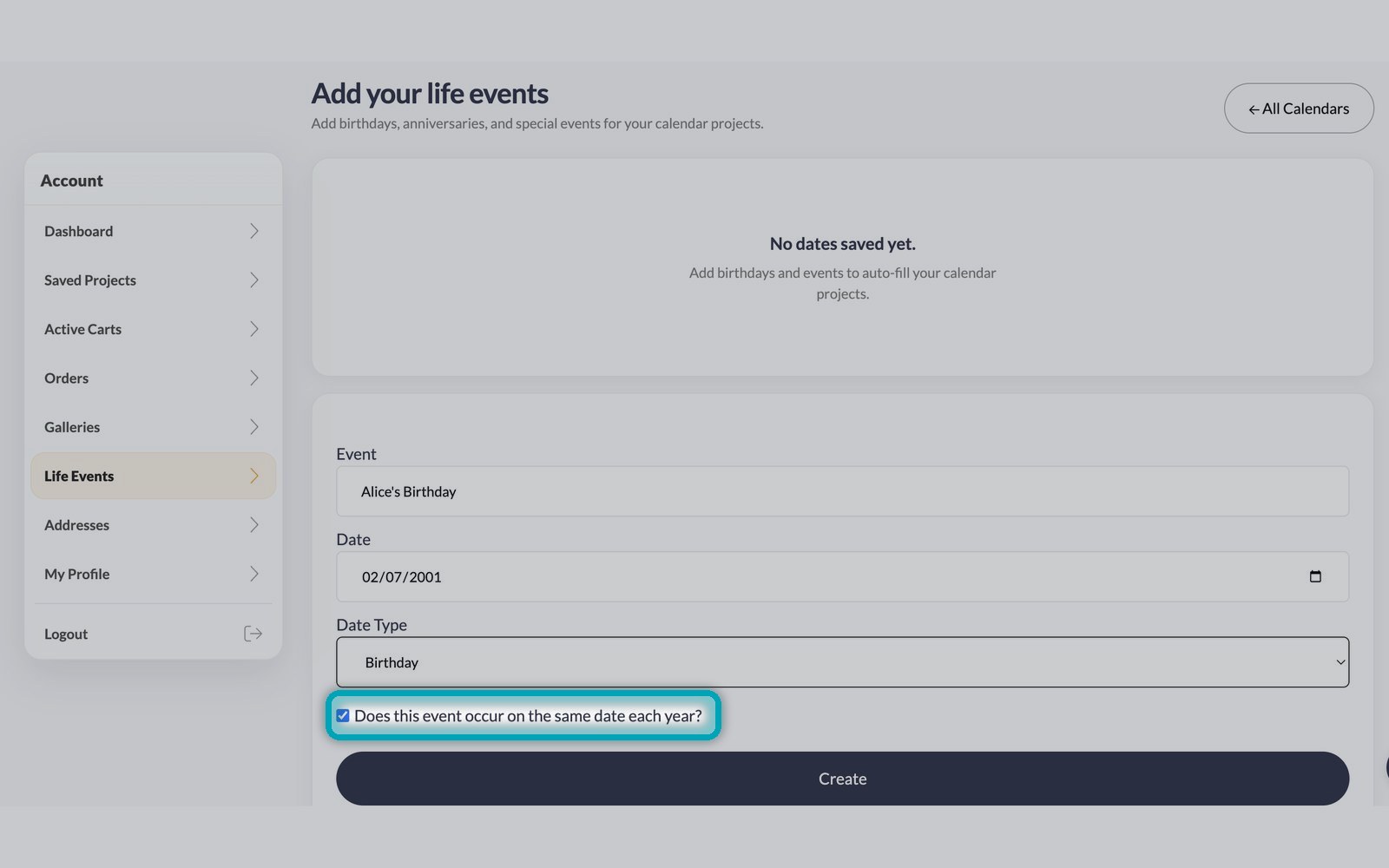
Enter the event, the date and the type — birthday, anniversary and more. Tick same date each year so it repeats automatically.
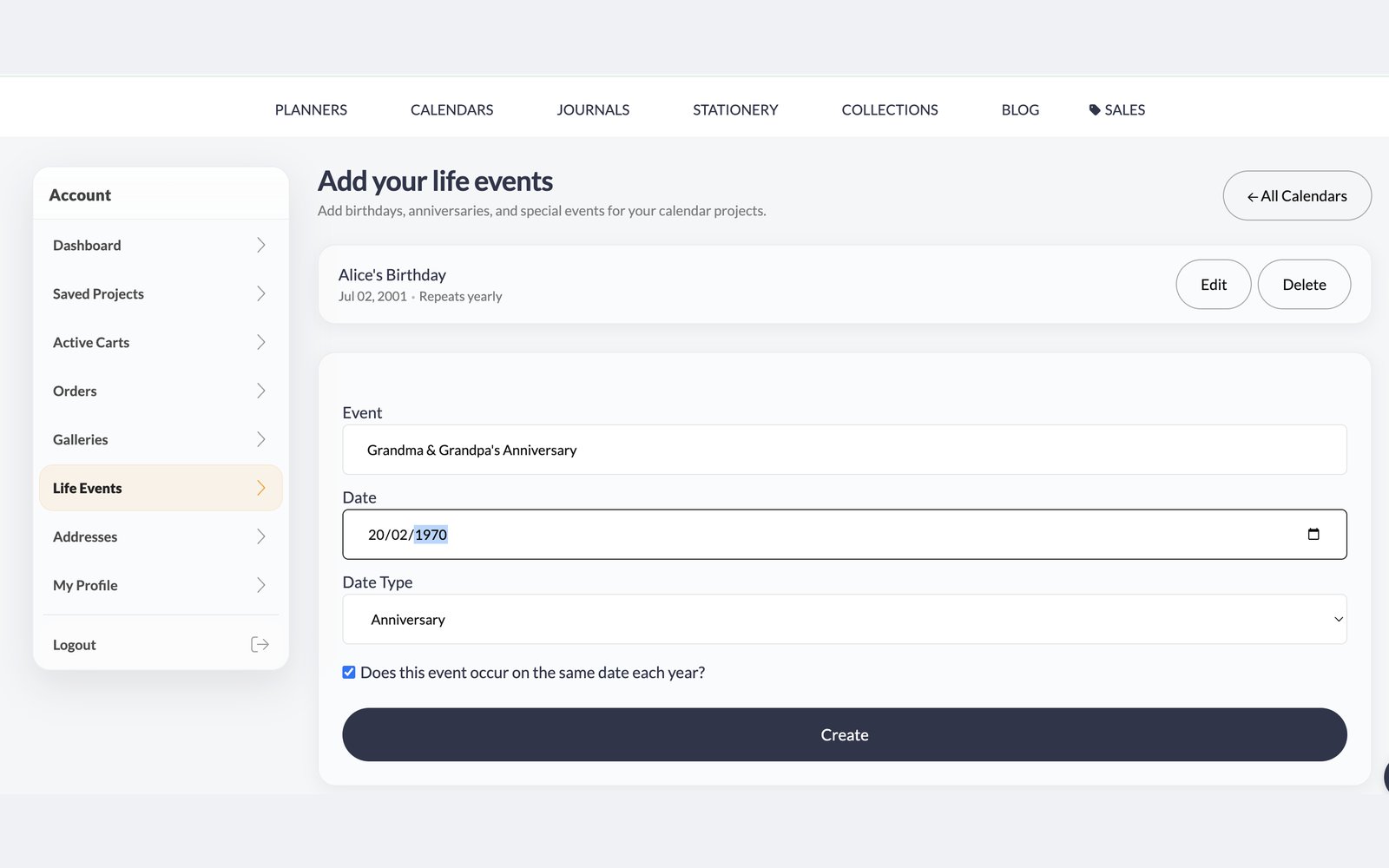
Keep adding the dates that matter to you. You can edit or delete them anytime, and reuse the list for future products.
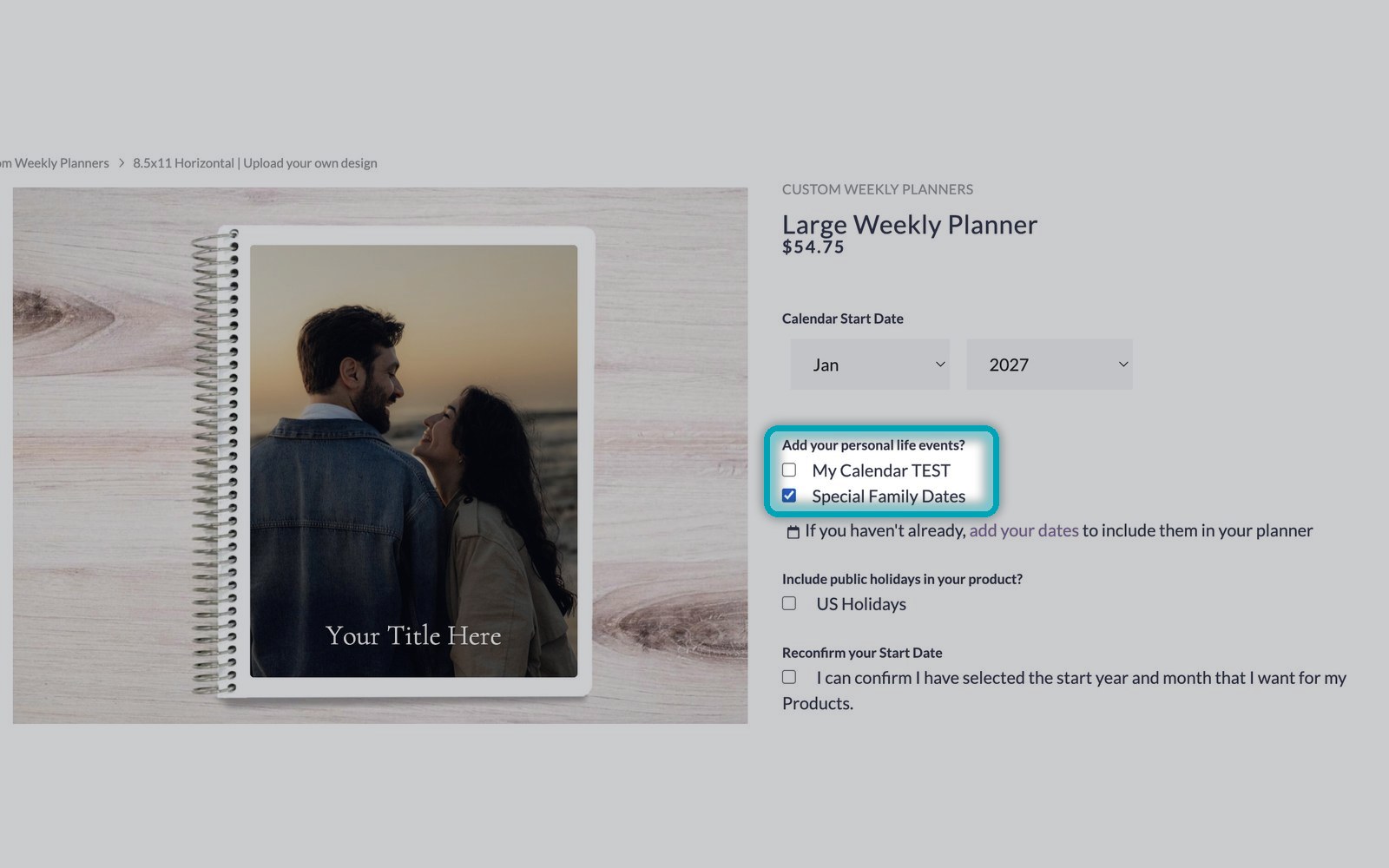
On your planner or calendar page, tick Add your personal life events and select your dates calendar. You can include public holidays too.
Shop planners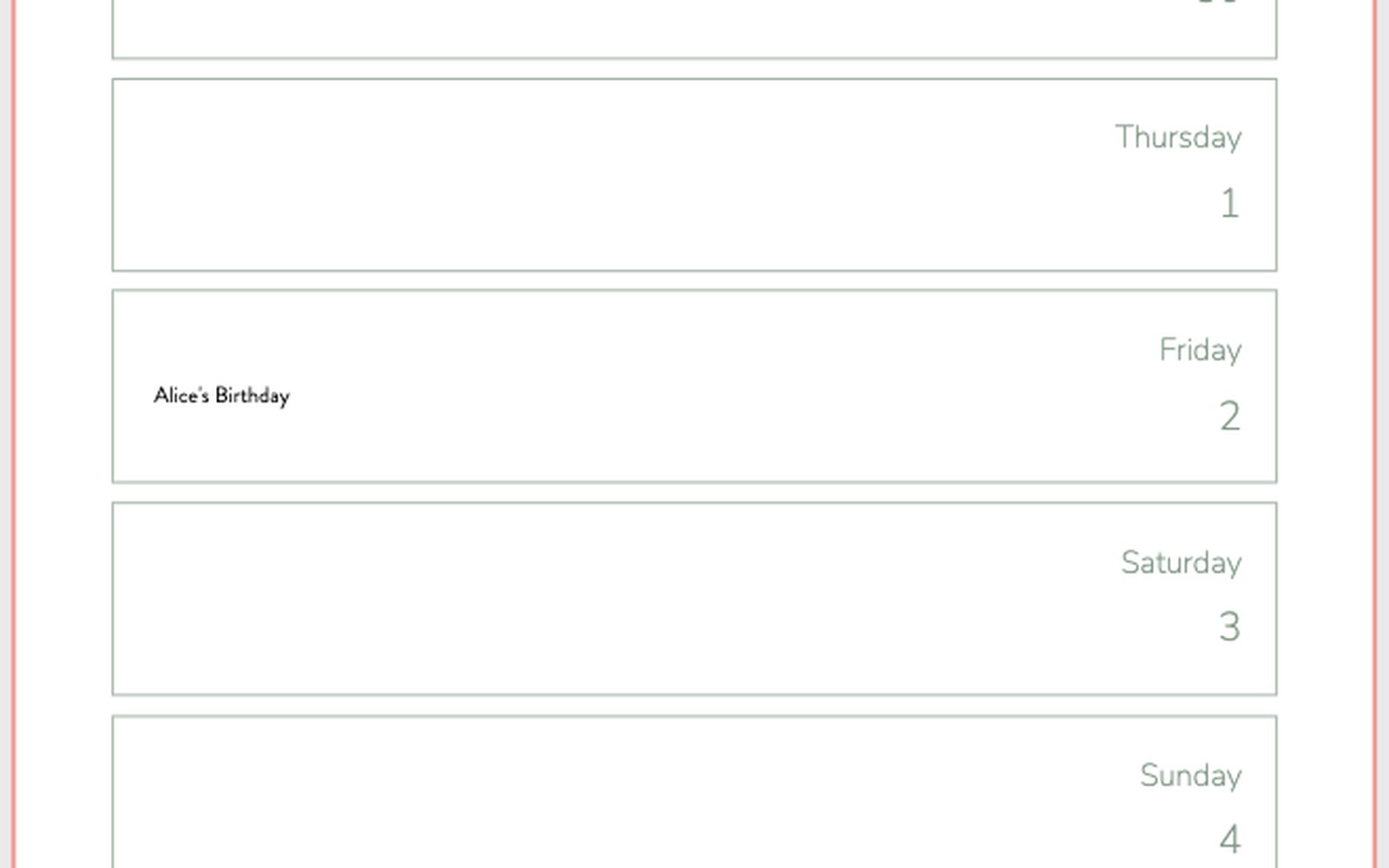
Open the editor and your dates are already on the right days — no need to write them in by hand.
Save once
Add your dates one time and use them on every project.
Repeats every year
Birthdays and anniversaries carry over to next year's planner.
Planners & calendars
Your dates work on both, printed right on the day.